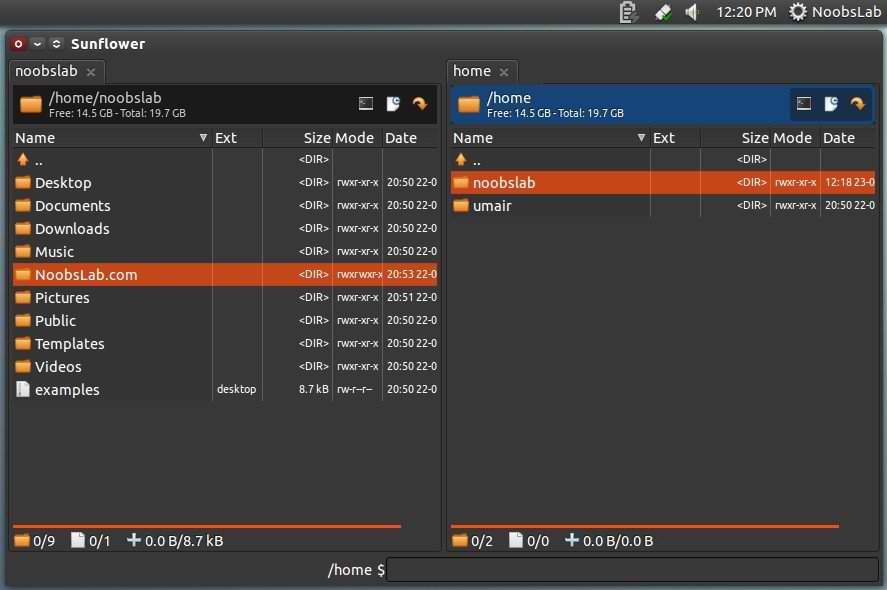
Install SunFlower Twin-Panel File Manager in Ubuntu 12.10 Quantal/Ubuntu 12.04 Precise/11.10 Oneiric/Linux Mint
Sunflower is Open Source, twin panel, small and highly customizable File Manager for Linux with plugins support. Sunflower main purpose is to create powerful and easy use of file manager. Sunflower is developed in python language. Currently it is in development stages but available for test and use.Dual File ManagerUnlike other file managers, Sunflower offers twin panel for easy access and use. Navigation is much easier than other file managers.
Fast Files Preview
Sunflower also offers Fast file previews to check them quickly without open the file, Like JPG, JPEG, and other media files.
Create Documents Easily
Creating files with this file manager is easy and with new options like "open file in editor". There is Advance options available to set permissions to file.
Copy/Move Dialog box with details
It shows complete details of file and folder copy/move/merge operation.
Terminal in File Manager
Another great feature of this File Manager is native Terminal, for easy access open Terminal in other panel either first or second. Sunflower Terminal offers almost same features like default Ubuntu Terminal.
To install Sunflower in Ubuntu/Linux Mint open Terminal (Press Ctrl+Alt+T) and copy the following commands in the Terminal:- sudo add-apt-repository ppa:atareao/sunflower
- sudo apt-get update
- sudo apt-get install sunflower
That's it.